
The 12 Energy Vampires Draining $300 Yearly
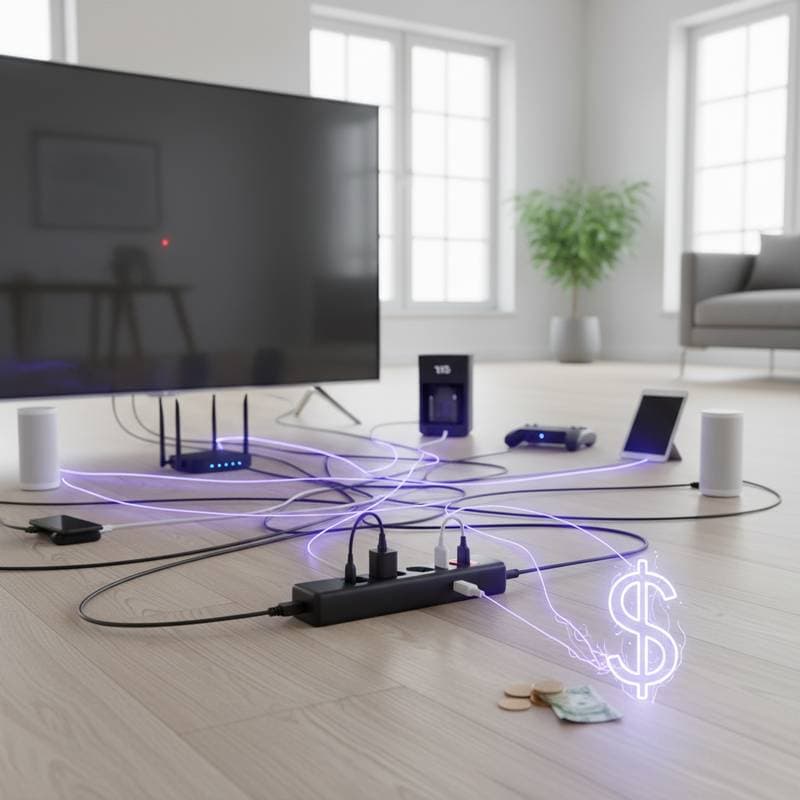
Hidden power consumption impacts households and offices each day. Devices continue to draw electricity in standby mode, offering no practical benefit. These phantom loads, or standby power losses, total more than $300 per year in the typical home. Identifying and tackling these energy vampires delivers fast savings and lightens the load on electrical grids.
Understanding Phantom Loads
Phantom loads occur when electronics draw power after appearing turned off. This electricity supports functions such as remote control readiness, clock displays, or network connectivity. While a single device uses just a few watts, the combined effect throughout a home becomes significant.
Entertainment systems, office equipment, and smart gadgets lead as major contributors. Even compact items like microwaves or coffee makers join the persistent draw. Gaining familiarity with frequent sources simplifies the detection process.
1. Televisions and Streaming Devices
Modern televisions shift to standby mode instead of complete shutdown. They remain alert for remote commands or software updates, consuming 1 to 5 watts each hour. Streaming boxes, set-top units, and gaming consoles maintain active network connections during downtime.
Unplug these devices after use, or connect them to a power strip equipped with an on-off switch. Such a setup cuts power entirely, halting idle usage without disrupting regular viewing habits. This method proves effective for daily routines.
2. Desktop Computers and Monitors
Desktop setups produce consistent phantom loads. Computers, monitors, and printers remain partially energized for quick startups or constant online status. An average arrangement wastes 5 to 10 watts per hour in standby.
Perform full shutdowns at the end of each day to eliminate most losses. Combine this practice with power strips that sense sleep modes and cut power automatically. These tools ensure no energy draw lingers overnight.
3. Laptop Chargers
Laptop chargers draw electricity even without a connected device. This small current keeps internal circuits operational, reaching 0.5 to 2 watts per unit. In homes with multiple devices, the combined effect multiplies the overall waste.
Pull plugs from outlets once charging completes, or channel several chargers through a single managed strip. This routine limits excess usage while keeping equipment handy for repeated charging sessions.
4. Game Consoles
Game consoles consume substantial standby power to handle downloads, updates, and instant resume features. Usage in this mode often hits 10 to 20 watts, varying by model and configuration. These options keep systems semi-active continuously.
Navigate console settings to disable quick-start functions and restrict background processes. Numerous models include energy-saving modes that halt network operations during off times. These adjustments maintain play readiness without constant power use.
5. Routers and Modems
Internet equipment runs around the clock, with routers and modems using 5 to 15 watts nonstop. Network extenders in expansive areas contribute additional baseline consumption. The ongoing nature of connectivity rarely prompts users to assess its total toll.
Choose energy-efficient replacements certified for low power draw, or add timers for nighttime shutdowns in homes with minimal evening needs. For required continuous operation, place units in cooler spots to improve efficiency and curb heat-induced extra usage.
6. Cable and Satellite Boxes
Cable and satellite receivers lead in standby consumption, drawing 10 to 30 watts while caching content or installing updates. The connected television might show as off, yet the box performs ongoing tasks. Prolonged inactivity intensifies the energy loss.
Use a master power switch for the full entertainment system, or unplug during extended absences like vacations. This interruption stops all power flow, recovering energy while allowing normal functions to resume seamlessly upon reactivation.
7. Smart Speakers and Voice Assistants
These devices stay vigilant for wake words, using 2 to 5 watts per unit. Positioning several throughout rooms amplifies the home-wide impact. Their perpetual readiness guarantees quick responses but incurs a steady energy penalty.
Manually power off speakers not in regular use, or pair them with smart plugs that enable scheduled disconnections. This strategy preserves alert capabilities while lowering draw during low-activity periods.
8. Kitchen Appliances with Displays
Digital displays on microwaves, coffee makers, and ovens demand constant electricity, usually 1 to 3 watts apiece. Kitchens hosting multiple such appliances form concentrated zones of minor yet steady loads. Periods of daily disuse heighten the inefficiency.
Disconnect appliances used sporadically, or group them on a switched power strip. Reset clocks only when necessary to prevent repeated power pulls for time synchronization.
9. Phone Chargers and Docking Stations
Phone chargers and docks for tablets or watches use 0.3 to 1 watt when idle. Distributed across homes and workspaces, they create an extensive array of subtle drains. The convenience of leaving them connected perpetuates the pattern.
Establish a habit of unplugging after batteries fill completely, or employ multi-port strips featuring separate controls. Savings per charger accumulate to several dollars yearly, growing with the number of units in a household.
10. Audio Equipment
Soundbars, amplifiers, and powered speakers adopt standby for effortless activation, consuming 2 to 8 watts. This state endures outside listening sessions, building daily totals. Pairing with home theater systems aggravates the problem.
Turn off manually after sessions, or link to outlets that handle automatic power sequencing. Total disconnection guarantees no residual usage, improving the setup's overall performance.
11. Smart Home Devices and Hubs
Hubs, security cameras, and sensors sustain network links, drawing 1 to 5 watts each when idle. Growing smart networks expand the count of perpetual connections. Not every item demands unbroken power.
Assess essential devices and program shutdowns for less vital ones through apps or timers. This focused effort captures savings in areas where constant access lacks justification.
12. Office Equipment in Sleep Mode
Printers, scanners, and copiers in sleep mode consume 1 to 5 watts, well above true zero. This low-level activity often escapes notice during non-work hours. Home offices left running overnight perpetuate the drain.
Execute complete power-downs every evening, or configure plug timers for automatic evening halts. These measures block accumulating waste from equipment in reduced-power states.
Measuring and Managing Phantom Loads
Acquire a plug-in energy meter to measure standby draw for individual devices. Priced below $20, these instruments show current wattage and per-hour expenses. Smart plugs build on this by providing app-monitored data for extended trends.
Focus initial efforts on highest-consumption items, then track resulting decreases. Opt for Energy Star-certified upgrades, which limit standby to below 1 watt in numerous categories. Combined efforts produce clear reductions in bills.
Cutting Energy Waste with Simple Habits
Specific practices diminish phantom loads with little disruption. Adopt these steps for immediate outcomes:
-
Cluster similar electronics on power strips and switch off the strip during inactivity.
-
Fit smart outlets to schedule power interruptions in low-use periods.
-
Disconnect all chargers right after batteries achieve full capacity.
-
Adjust settings on televisions, consoles, and computers to skip instant-wake options.
-
Replace outdated gear with units boasting confirmed low standby consumption.
Regular application of these habits generates meaningful yearly reductions.
Integrate Efficiency into Home Operations
Altogether, phantom loads form a major but preventable cost. Confronting them retrieves money and lowers emissions via precise cuts. Every powered-down device fosters a more streamlined energy use.
Conduct an initial home review with inexpensive meters to identify key targets. Implement disconnection and timing solutions where practical, followed by swaps to superior models. This methodical strategy secures lasting fiscal and ecological advantages.